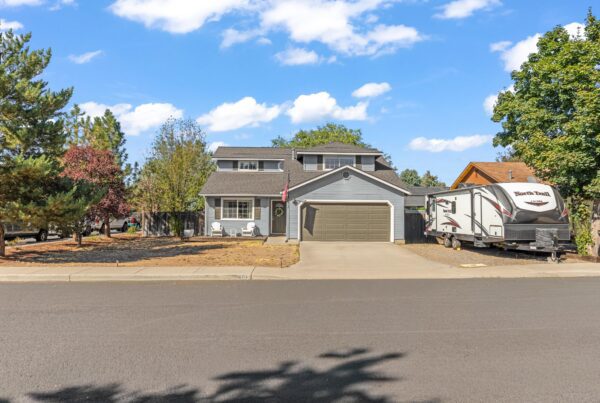

The best smart-home upgrade is one the next owner can actually use. For a Bend seller, that means more than installing a thermostat, camera, switch, or irrigation controller. The device should work reliably, have a clear manual fallback, and be transferable without carrying the seller’s account, recordings, access codes, or paid subscription into the next ownership.
Smart features can make a home easier to operate, but they do not automatically create a dollar-for-dollar return. If your main question is whether a device will affect appraisal or resale value, start with our guides to what appraisers and buyers consider and how smart-home features are documented for an appraisal. This guide focuses on the part sellers often miss: choosing, documenting, and transferring the technology cleanly.
Choose technology that still works when the app does not
Before adding a device shortly before listing, ask four practical questions:
- Can someone operate it manually? A buyer should still be able to adjust the heat, turn on a light, open the garage, or water the yard without first creating an account.
- Does it depend on a subscription? Cameras, cloud recordings, monitoring, and advanced automations may stop or change when the seller cancels service.
- Is the product still supported? A polished device is less useful if the manufacturer no longer provides security updates, replacement parts, or a working ownership-transfer process.
- Can it be transferred without sharing credentials? Never solve a handoff by giving the buyer your personal password or leaving the device signed into your account.
This favors straightforward, installed systems over a collection of portable gadgets. A dependable thermostat, properly wired switches, or a weather-responsive irrigation controller may be easier for a buyer to understand than a web of speakers, hubs, sensors, and custom routines built around one owner’s preferences.
Four upgrades that can be useful in a Bend home
1. A compatible smart thermostat
Remote temperature control can be useful in Central Oregon, especially for a second home or a property that sits vacant between visits. But compatibility matters more than brand. The thermostat must work with the home’s heating and cooling equipment, and the basic controls should remain usable after the seller removes the device from an account.
ENERGY STAR explains that certified smart thermostats are evaluated using field data for energy savings. That is stronger support than a manufacturer’s broad promise, but actual results still depend on the home, equipment, settings, occupancy, and weather. Treat efficiency as an operating benefit—not a guaranteed resale premium.
2. A weather-responsive irrigation controller
This is one of the more locally relevant smart upgrades because Bend’s outdoor watering needs change substantially through the season. The City of Bend’s smart-irrigation guidance explains that weather-responsive controllers can adjust runtimes, but they do not repair leaks, poor sprinkler coverage, or an inefficient system design.
Before listing, confirm the controller is programmed for the actual zones and landscape, save any installer information, and leave clear instructions for winter shutdown and spring startup. A connected controller should not be used as a substitute for proper winterization.
3. Doorbells, cameras, locks, and garage controls
These features can help with deliveries and access, but they create the most sensitive handoff. Recordings, household names, access codes, guest permissions, and geofencing may be tied to a seller’s account. The buyer also needs to know whether a monitoring plan, storage subscription, hub, bridge, or compatible opener is required.
Provide a physical key, keypad procedure, wall control, or other manual option. If the device cannot be transferred securely and documented clearly, removing it before marketing—or replacing it with a conventional control—may be cleaner than leaving an unsupported system behind.
4. Installed lighting controls
Smart switches can be easier to transfer than individual bulbs because the basic wall control remains familiar. Still, confirm that every switch operates locally, label unusual three-way or multi-location controls, and document any hub the system requires. Avoid making basic lighting dependent on a seller’s voice assistant or personal automation account.
Decide what stays before the listing goes live
Do not wait until the final walk-through to decide whether a camera, thermostat, hub, smart lock, speaker, or garage controller is included. Make an inventory with the listing team and identify each item as:
- remaining with the property;
- excluded and removed before closing;
- replaced with a conventional device; or
- dependent on a separate service or subscription.
The purchase agreement and related documents should clearly reflect the parties’ agreement. A device being mounted to a wall does not answer every question about associated hubs, cameras, accounts, service plans, or portable controls. Oregon consumers can review general agency information through the Oregon Real Estate Agency, but transaction-specific questions belong with the licensed professionals and, when appropriate, legal counsel involved in the sale.
Build a simple smart-home handoff packet
A useful handoff packet can be one page plus the manufacturer manuals. For every included device, list:
- manufacturer, model, and installed location;
- the app or website used to manage it;
- whether a hub, bridge, subscription, or monitoring agreement is required;
- the manual operating method;
- the manufacturer’s official ownership-transfer or reset instructions;
- installer or service-provider contact information, if relevant;
- any transferable warranty information and proof of professional installation; and
- which accessories, remotes, keys, sensors, and manuals remain with the home.
Do not put personal passwords, Wi-Fi credentials, alarm codes, or account-recovery answers in the packet. The goal is to help the buyer create new access—not inherit the seller’s identity.
Protect privacy during the transfer
The Federal Trade Commission’s smart-home guidance recommends removing administrative access and personal information, canceling or changing account settings, and resetting devices that remain with the home. Because the exact sequence varies by manufacturer, follow the current instructions for each product.
A practical seller sequence is:
- Export anything you are entitled to keep, such as your own recordings or configuration notes.
- Remove household members, guests, shared users, access codes, and linked voice assistants.
- Cancel or move subscriptions and monitoring services that will not transfer.
- Delete stored personal information and factory-reset the device according to the manufacturer.
- Remove the device from the seller’s account only at the stage the manufacturer recommends.
- Confirm that the device still works manually and is ready for the buyer to enroll.
- Change or remove router and Wi-Fi equipment unless it is specifically included and can be transferred securely.
Do this close enough to closing that the system remains available for normal use, but early enough to solve a failed reset or unsupported product. Security cameras should also be handled carefully during showings and occupancy changes; buyers should not receive access to a seller’s historical footage.
What a buyer should verify
During inspections and due diligence, a buyer can ask for a device list and test the ordinary controls. Useful questions include:
- Does the thermostat control every intended heating and cooling function?
- Can the garage door, locks, lights, and irrigation operate without the seller’s phone?
- Which services require a fee, and can the buyer choose another provider?
- Are cameras, microphones, hubs, sensors, and network equipment included?
- Does the manufacturer still support the device and its app?
- Will any equipment be removed or replaced before closing?
A home inspection does not automatically provide a cybersecurity audit or guarantee every connected feature. The buyer may need separate help from the manufacturer, installer, HVAC contractor, electrician, irrigation professional, security provider, or internet provider.
A better goal than “maximum ROI”
Smart-home technology is most persuasive when it solves an obvious problem without creating a new one. In Bend, that might mean managing a second home’s temperature, adjusting irrigation through a dry summer, checking whether the garage is closed after loading bikes, or keeping exterior lighting simple during shorter winter days.
The strongest presentation is not a long gadget list. It is a small set of reliable features, clear documentation, secure account separation, and a buyer who can operate the home on day one. If you are preparing a Bend property for market, Bend Relo can help separate useful improvements from technology that is better documented, removed, or left alone.
Talk with David & the Bend Relo team
Buying, selling, relocating, or evaluating a specific property? Tell us what you are working through. We are happy to help.